
A native desktop app centralizing Claude Code projects and past sessions.
Product memo
Developers who frequently use Claude Code face friction managing multiple sessions and projects. xshell centralizes past sessions, commands, and project context into a native desktop window, replacing manual terminal commands. It gives users a unified interface to browse, resume, and manage all their work, reducing context-switching overhead.
For who
Developers managing Claude Code sessions
Solves what
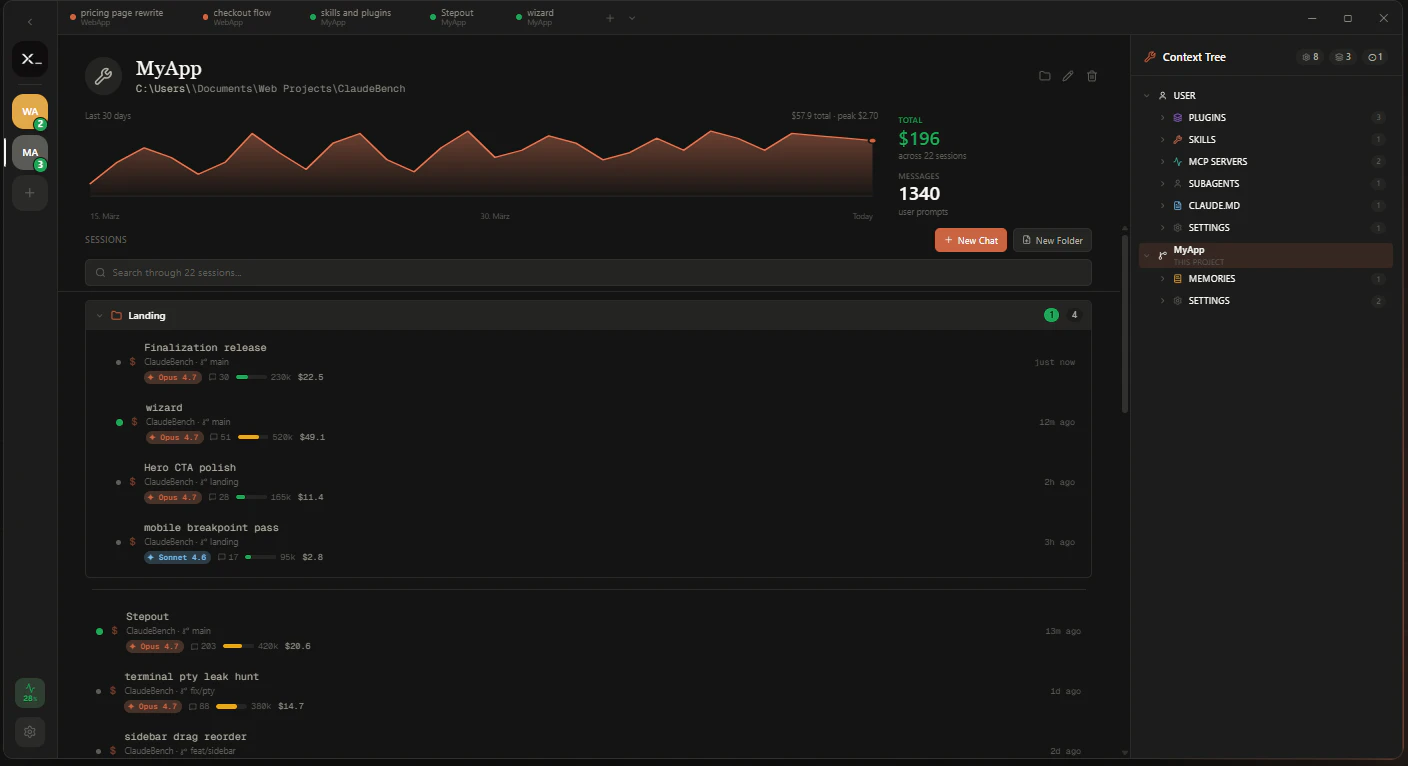
Centralizes projects, past sessions, and costs in a native window.
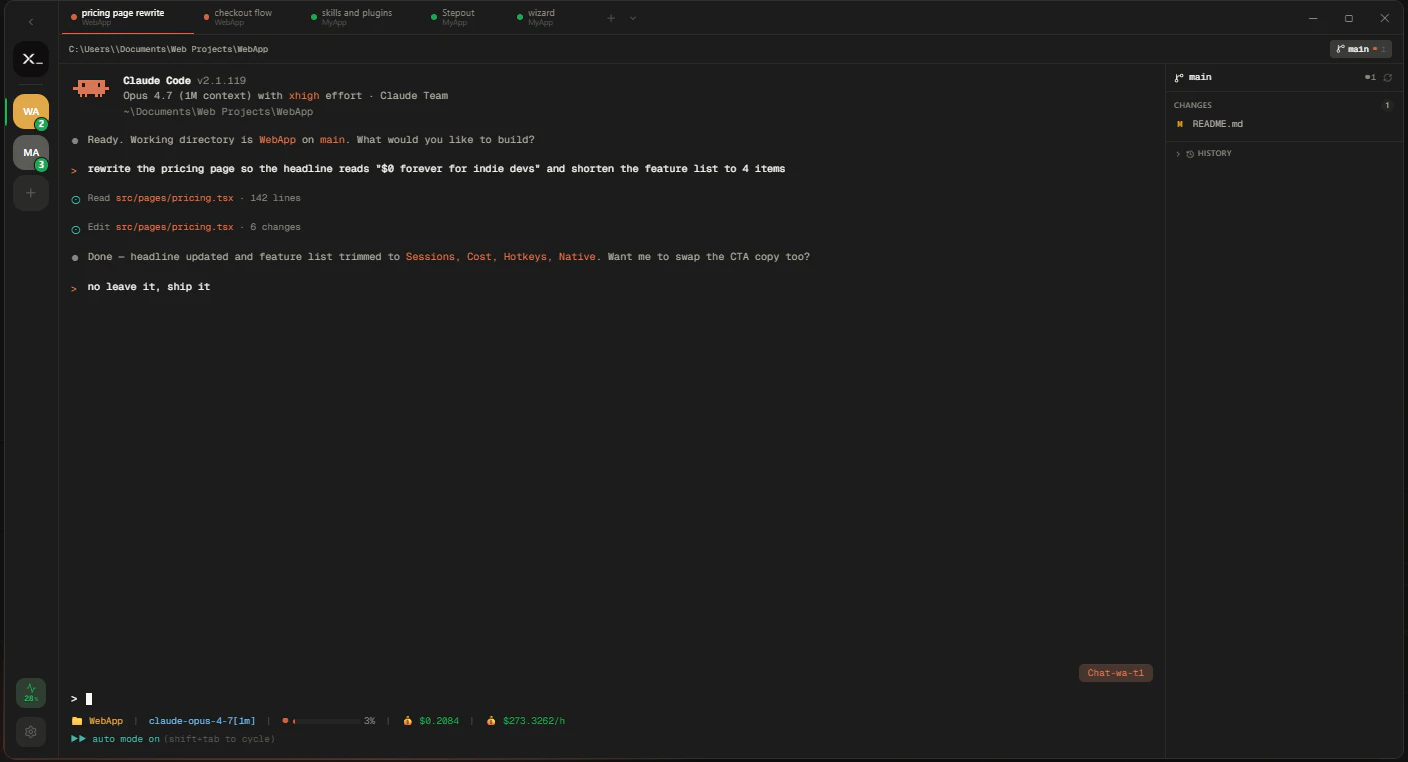
- Browser tabs for terminals
- Group sessions in one pane
- Quick actions via keyboard
In their own words
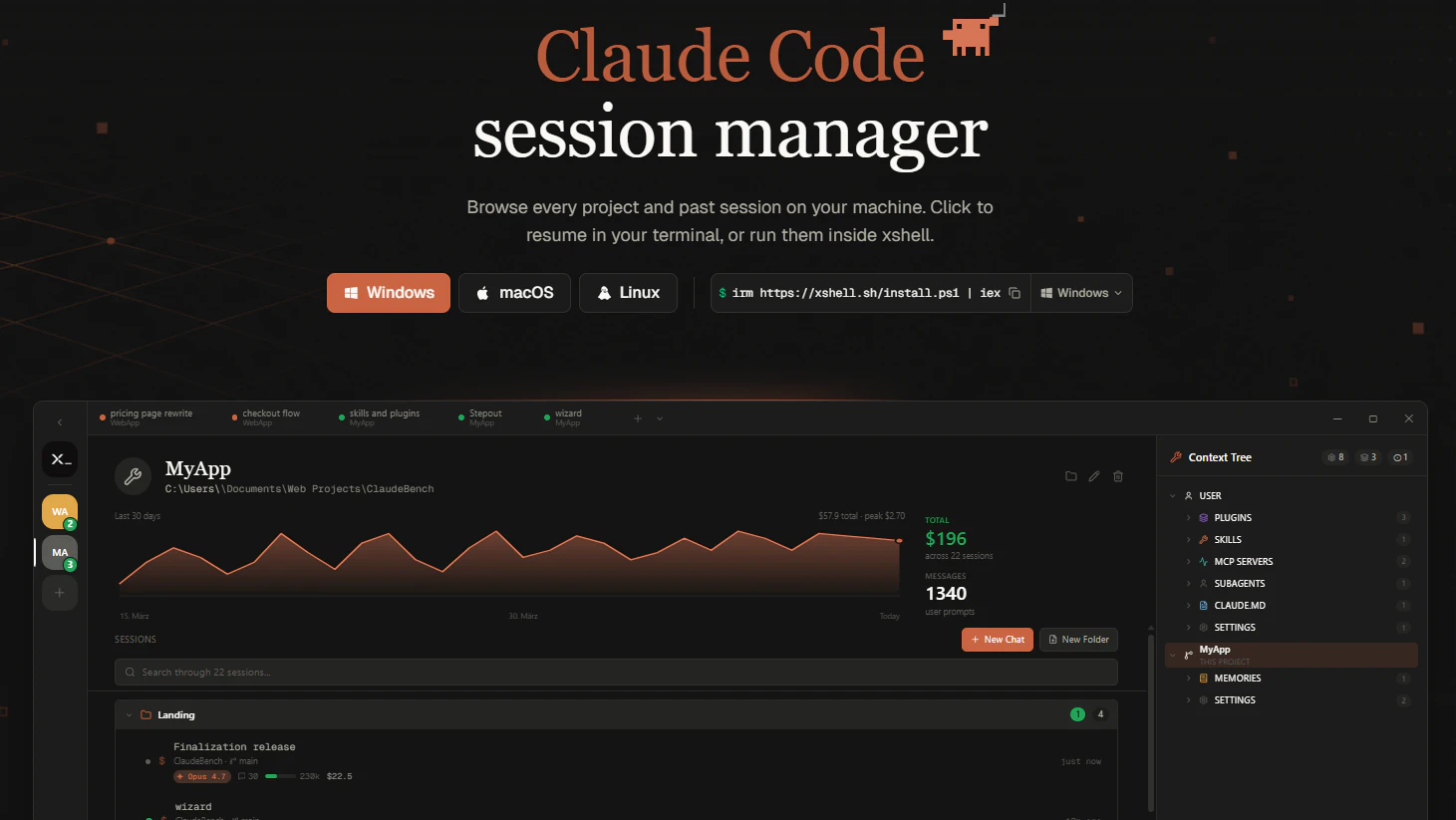
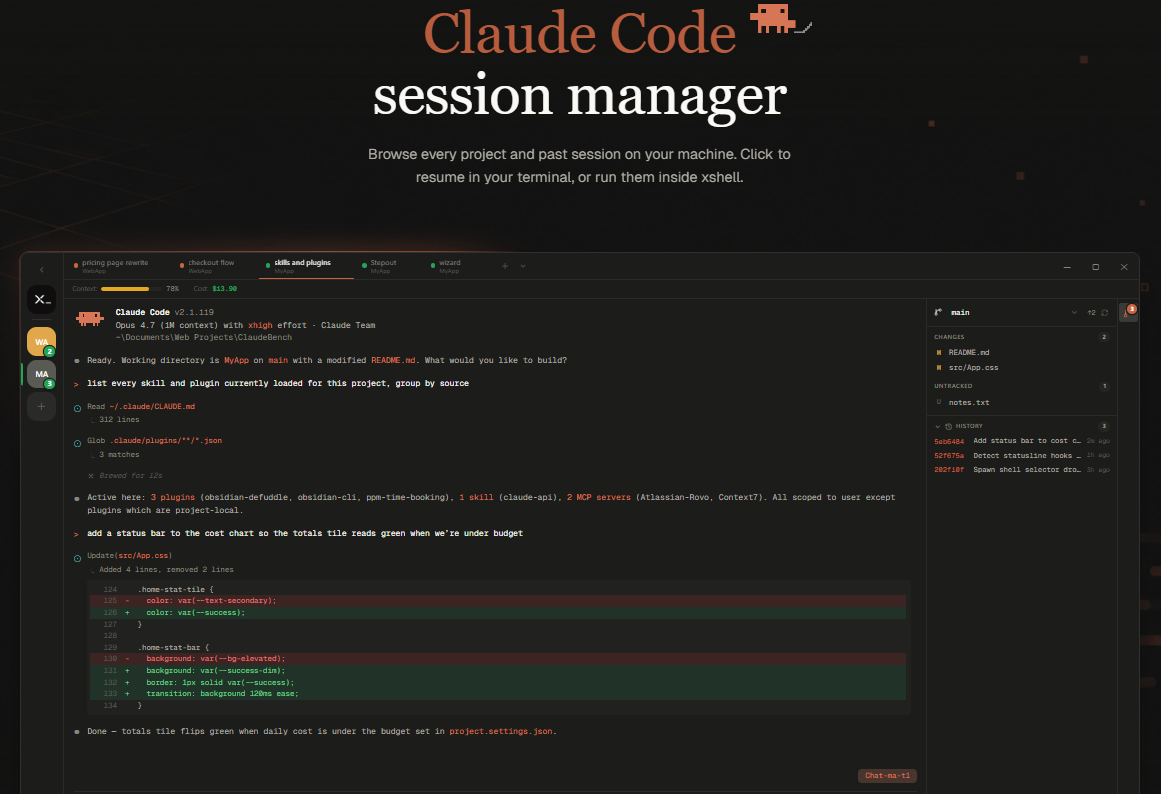
Claude Codesession manager
Browse every project and past session on your machine. Click to resume in your terminal, or run them inside xshell.
Commercial cues
Model
subscription
Free tier
No
Trial
No
Pricing Strategy
- • Focuses on core utility rather than feature-gated tiers.
- • Monthly plans keep buying commitment low.
Operator context
Operating setup
Team
Indie / lean
LLM classification
Founded
May 2026
Platform
Desktop
Audience
Developers
Social footprint
Builder Strategy
- Strategy Type
- Niche Specialist
- Stage
- Bootstrapped Lean
- Effort
- Solo Buildable
About xshell Expand
Xshell provides a native desktop application for developers who rely on Claude Code for their daily work. It addresses the common pain points of context-switching and scattered project data by centralizing all relevant information.
Users can browse every project and past session on their machine, then click to resume work directly in their terminal or within xshell's built-in environment. This as a niche specialist creates workflow lock-in, making it easier for developers to manage their -assisted coding sessions without losing track of progress or commands.