
Product memo
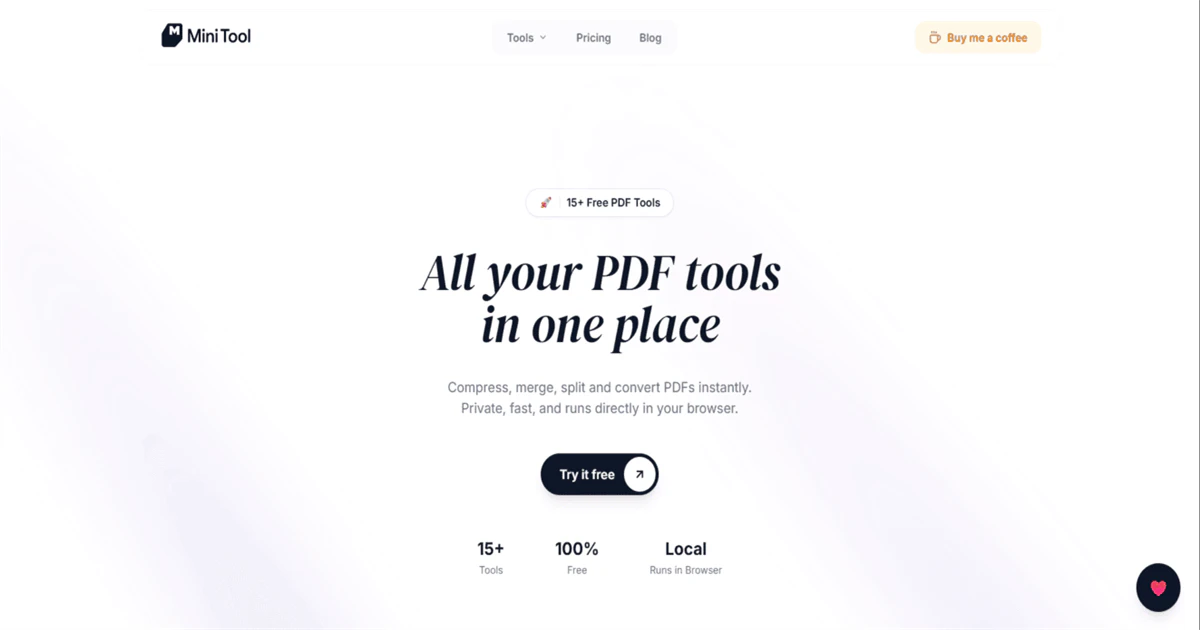
Individuals needing private PDF manipulation can use Mini Tool for common tasks like merging, splitting, and converting. It processes PDFs locally in the browser, avoiding uploads and account requirements. This approach appeals to users prioritizing data security over cloud-based convenience, offering a suite of utilities without friction.
For who
Individuals needing private PDF manipulation
Solves what
Local, private PDF processing for common tasks like merging, splitting, and converting.
- 15+ PDF tools
- No account required
In their own words
All your PDF tools
Compress, merge, split and convert PDFs instantly.
Private, fast, and runs directly in your browser.
Commercial cues
Model
subscription
Free tier
Yes
Trial
Available
Pricing Strategy
Mini Tool uses a free tier before Support Mini Tool at 50 INR/month.
- • Unlimited free access to core tools removes adoption friction.
- • A small monthly contribution removes ads and funds development.
- • Support Mini Tool at 50 INR/month sets the entry price.
Operator context
Operating setup
Team
Indie / lean
LLM classification
Founded
May 2026
Platform
Web app
Audience
General
Payments
Razorpay
Social footprint
Tech stack
Builder Strategy
- Strategy Type
- Niche Specialist
- Stage
- Bootstrapped Lean
- Effort
- Solo Buildable
About Mini Tool Expand
Mini Tool offers a suite of PDF utilities designed for individuals who need private document manipulation. It handles common tasks such as PDF compression, merging, splitting, image-to-PDF conversion, and signing.
The key differentiator is its local processing, which means all PDF operations occur directly in your browser without uploading files to a server. This focus on privacy and speed makes Mini Tool a practical option for users concerned about data security, providing a free and no-account product for essential PDF needs.