
A macOS system monitor for Apple Silicon, showing CPU, GPU, RAM, and temperature.
Product memo
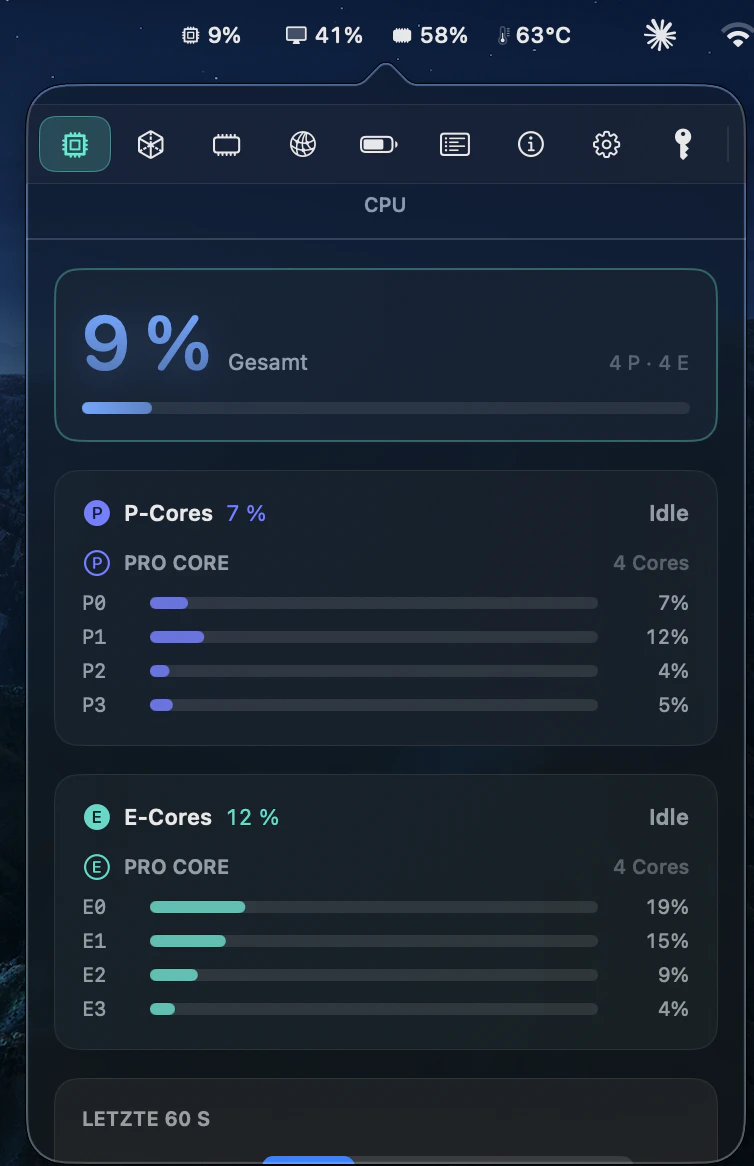
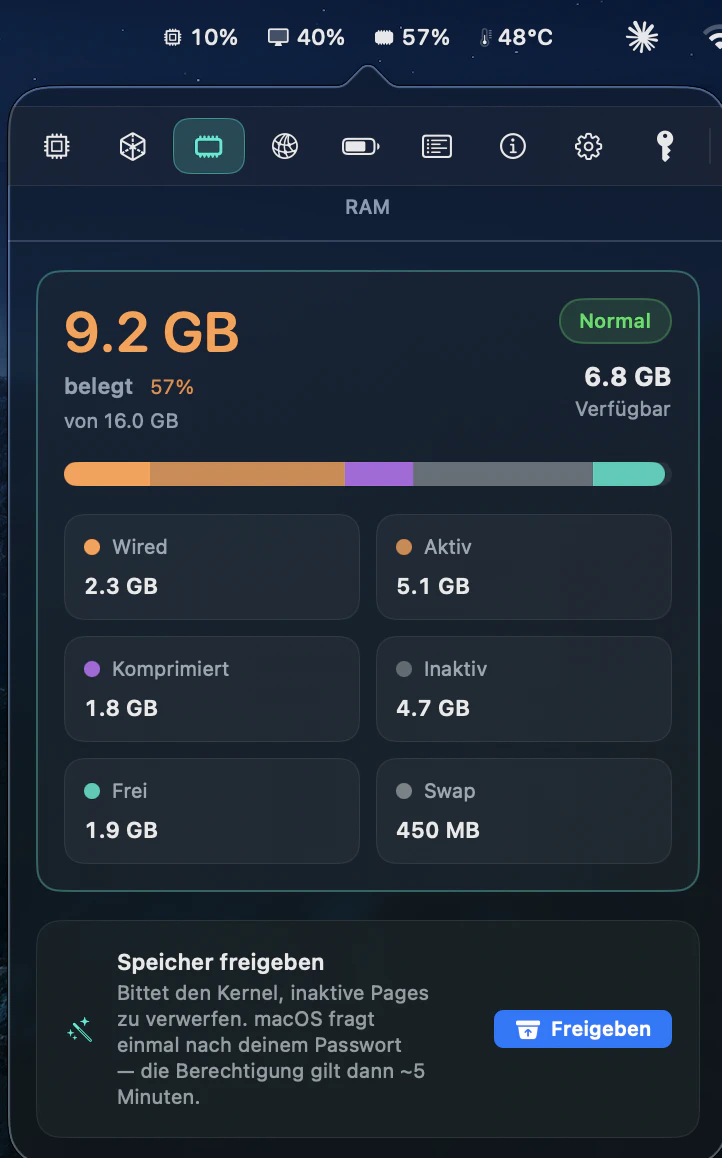
MenuBarMonitor gives macOS users detailed system performance insights directly from their menu bar. It provides real-time CPU (P/E core), GPU, RAM, and temperature statistics, moving beyond the basic data of Activity Monitor. This tool targets users who need immediate, actionable data to diagnose performance bottlenecks and maintain a smooth workflow without navigating complex system settings.
For who
macOS users needing detailed system performance insights
Solves what
Provides real-time CPU, GPU, RAM, and temperature stats in the menu bar.
- Menu bar system monitoring
- Apple Silicon P/E core insights
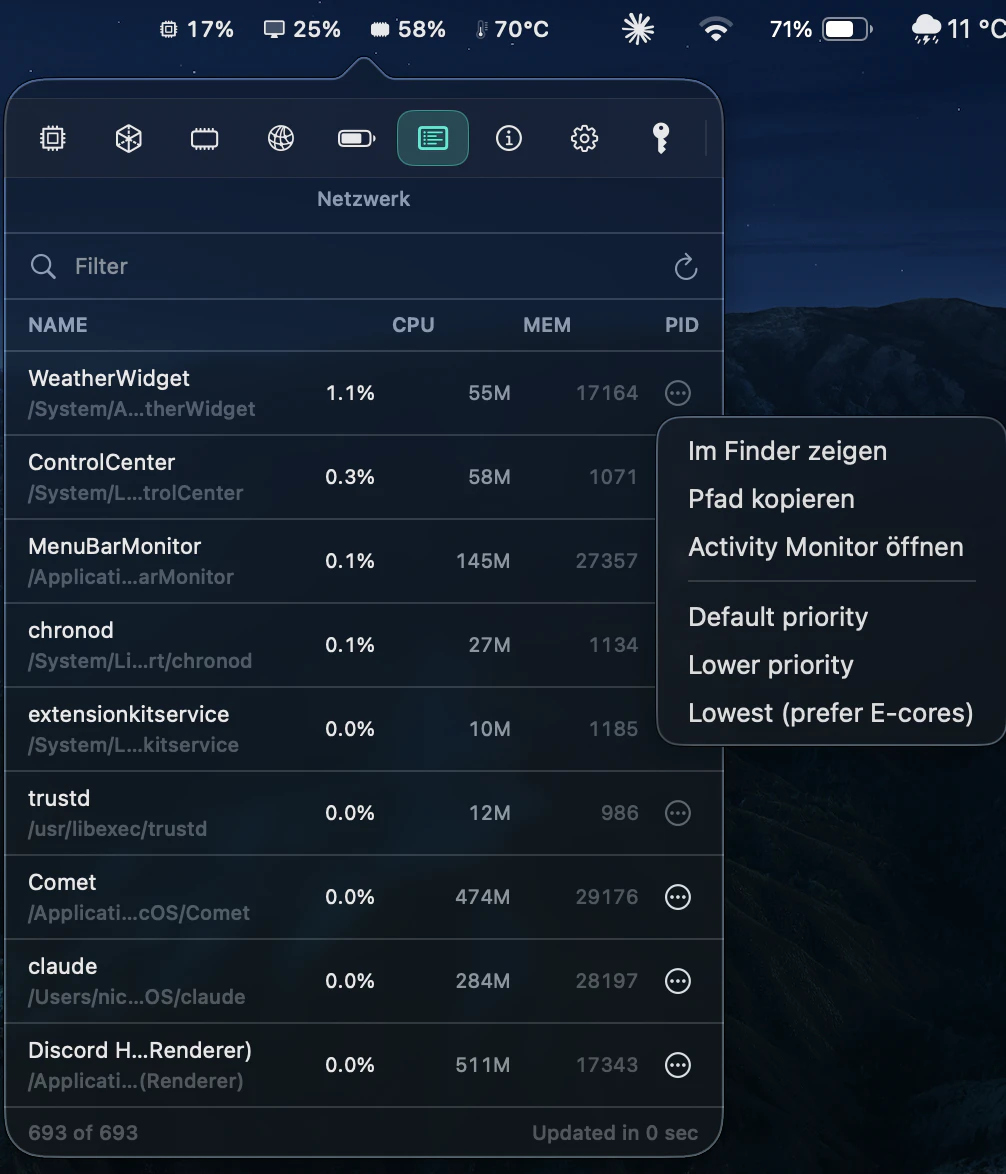
- Process and temperature tracking
In their own words
Know what's slowing you down and manage your system.
Native for Apple Silicon · macOS 13+
Get an instant, one-click view of the processes hogging your RAM or heating up your cores. Stop digging through system settings—get the data you need to keep your workflow smooth and lag-free.
Commercial cues
Model
hybrid
Free tier
Yes
Trial
No
Pricing Strategy
MenuBarMonitor offers a free tier; paid plan details are not publicly priced.
- • A free tier provides core monitoring, driving upgrades for deeper insights.
- • The annual plan offers a discount, encouraging longer-term user commitment.
- • Visible limits define plan boundaries.
Operator context
Operating setup
Team
Indie / lean
LLM classification
Founded
May 2026
HQ
United States
Platform
Desktop
Audience
Developers
Builder Strategy
- Strategy Type
- Niche Specialist
- Stage
- Bootstrapped Lean
- Effort
- Solo Buildable
About MenuBarMonitor Mac Hardware Tracking Expand
MenuBarMonitor offers macOS users a focused tool for real-time system performance monitoring. It moves beyond the default Activity Monitor by delivering granular data on CPU (including P/E core usage), GPU activity, RAM consumption, and temperature directly to the menu bar.
This targets power users and developers who need immediate, actionable insights to diagnose performance issues and ensure their Mac runs smoothly. The product’s value proposition centers on eliminating the need to dig through system settings, providing critical data at a glance for a more efficient workflow.