
A Chrome extension unifying 40+ productivity tools into a single, fast command palette.
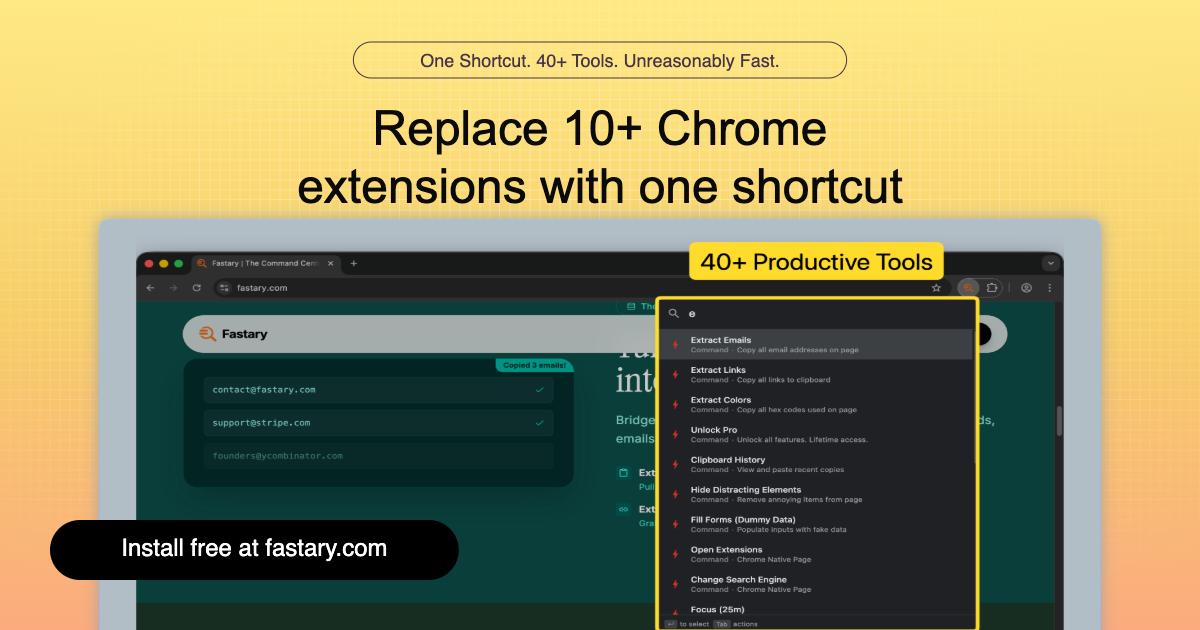
Product memo
Power users managing many tabs and browser workflows often juggle dozens of extensions. Fastary replaces this friction by consolidating over 40 distinct utilities into one command palette. It offers a unified shortcut for tab management, workspace organization, screenshot capture, and clipboard history, all designed for speed and efficiency within Chrome.
For who
Chrome users seeking a unified productivity tool
Solves what
Consolidates 40+ Chrome productivity tools into a single shortcut command palette
- Unified shortcut command palette
- Tab and workspace management
- 40+ integrated productivity tools
In their own words
One Shortcut. 40+ Tools. Unreasonably Fast.
Replace 10+ Chrome extensions with one shortcut
Everything you need in Chrome and more, one shortcut away. Manage tabs, workspaces, and workflows in 50ms.
Commercial cues
Model
hybrid
Free tier
Yes
Trial
No
Pricing Strategy
Fastary offers a free tier; paid plan details are not publicly priced.
- • A free tier acts as a lead magnet for the one-time Pro.
- • The one-time payment removes subscription friction for power users.
- • Visible limits define plan boundaries.
Operator context
Operating setup
Founded
Feb 2026
Platform
Browser extension
Audience
General
Payments
Creem
Detected via TrustMRR
Social footprint
Builder Strategy
- Strategy Type
- Niche Specialist
- Stage
- Pre Revenue
- Effort
- Solo Buildable
About Fastary Expand
Fastary serves Chrome power users seeking a unified productivity tool. It consolidates over 40 distinct browser utilities into a single shortcut command palette, replacing the need for multiple extensions.
Users gain quick access to features like tab management, workspace organization, screenshot capture, and clipboard history, all optimized for speed. This approach reduces browser clutter and simplifies daily workflows for individuals who rely heavily on Chrome for their tasks.